`foo()` | `foo()`
Any section header name followed by "section", "subsection", or "sec." will automatically be
linked to that section. (The keyword "chapter" currently works but is unsupported and likely to
change to work differently with multi-file documents in the future.)
To link by number, use one of those key words followed by the section
name in brackets. This won't work if you use the actual word "section" _as the title of a
section_...but it would be unexpected to have a section named "section" in a real document
anyway.
You can also insert HTML anchor (``) tags to create arbitrary internal links.
When linking to a Markdeep document from another document, you can refer to sections
based on either a mangled version of their name or a fully-qualified version of that.
The mangling is URI encoding of the section name with spaces removed, in all lowercase.
For example, this section can be linked to as
`demodoc.md.html#links` or `demodoc.md.html#basicformatting/links`.
**The easiest way to generate a link to a section is to simply
right-click (or ctrl-click) on that section header in the
browser. This will bring up a context menu that allows you to copy
either the internal Markdeep text of the link or the external HTML
code link.** While a hover would be more discoverable, I chose to use
the context menu so that this functionality would work well on touch
screens, be easier to style for themes, and not affect layout.
Reference links include arbitrary formatted text in brackets
followed by a case-insensitive symbolic name that must be defined
elsewhere in the document:
- Example using a symbolic name: [New York Times][nyt]
- Example using the text as its own symbol: [Google][]
Put the definitions at a convenient location elsewhere in the document:
~~~~~~~~~~~~ none
[nyt]: http://nytimes.com
[google]: http://google.com
~~~~~~~~~~~~
Markdeep also supports footnotes, endnotes [^syntax], and citations
[#Kajiya86] using a similar syntax. The actual notes and bibliography
may be placed at the bottom of the document:
~~~~~~~~~~~~~~~~none
[#Kajiya86]: James T. Kajiya. 1986 ...
[^syntax]: Endnotes look like ...
~~~~~~~~~~~~~~~~
Multiple citations (but not footnotes) may be included within brackets:
~~~~~~~~~~~~~~~~~~none
...the early Monte Carlo rendering methods [#Cook84, #Kajiya86].
~~~~~~~~~~~~~~~~~~
API links are automatically created from standalone inline code references to functions,
arrays, and variables when a definition list exists that provides code-formatted
definitions of those entities using backticks. For example:
`foo(x, y)`
: Returns the foo of `x` and `y`
`gamepad_array[]`
: Array of all gamepads on this computer
A reference to `foo()` is then automatically linked back to its
definition. In the case of overloaded definitions, automatic links
will always point to the first one. Subsequent definitions are given
unique hash URLs that can be explicitly linked.
Regular links may also have attributes, for example,
[this link will directly download](http://casual-effects.com/markdeep/robot.jpg download).
URLs in explicit links may be surrounded by optional `"` quotation `"` marks. If your URL
contains parentheses, then it _must_ be surrounded in quotation marks to make it unambigious:
- [a link with parens]("http://casual-effects.com(bar)")
- []("http://casual-effects.com(bar)")
URLs with various forms of special characters are handled well even without quotation marks:
- [hyperlinks to URLs with underscores](https://archive.org/stream/Bazin_Andre_What_Is_Cinema_Volume_1/Bazin_Andre_What_Is_Cinema_Volume_1_djvu.txt)
- https://archive.org/stream/Bazin_Andre_What_Is_Cinema_Volume_1/Bazin_Andre_What_Is_Cinema_Volume_1_djvu.txt
You can also use the CommonMark angle bracket syntax
`` at the start of the next line without creating a new paragraph. For example, this source: ~~~~~~~~~~~~~~~~~~~~~~~~~~~~~~~~~~~~~~~~~ none Roses are red,\ Violets are blue. ~~~~~~~~~~~~~~~~~~~~~~~~~~~~~~~~~~~~~~~~~ Renders as: Roses are red,\ Violets are blue. Two trailing spaces at the end of a line have the same effect but will elide with a paragraph break to avoid a double break (backslash forces a break even against a paragraph). ~~~~~~~~~~~~~~~~~~~~~~~~~~~~~~~~~~~~~~~~~ none Roses are red, Violets are blue. ~~~~~~~~~~~~~~~~~~~~~~~~~~~~~~~~~~~~~~~~~ Renders as: Roses are red, Violets are blue. A blank line between lines creates a separate paragraph. These features are controlled by the `enableBackslashLineBreak` and `enableHiddenLineBreak` options. Both default to on. You can also always use an explicit `
` tag, which is generally more visually intrusive but clearer in the source. Stage Directions --------------------------------------------------------------------------------------- Stage directions use double parentheses `((...))` or `⸨...⸩` to indicate non-dialogue action or movement, as in screenplays and theatre scripts. When a stage direction appears alone on a line, it is rendered as a block-level element with indentation: ((The lights dim. A single spotlight illuminates center stage.)) When a stage direction appears within other text, it is rendered inline: JULIET: O Romeo, Romeo! ((turns to the balcony)) Wherefore art thou Romeo? She said ((laughing)) that the show must go on ((wipes tear)) indeed. Stage directions support nested parentheses for mathematical or parenthetical content: ((gestures at the (broken) prop on the table)) Disable this feature by setting `markdeepOptions` before loading Markdeep in a script tag: ~~~~~~~~~~~~~~~~~~~~~~~~~~~~~~~~~~~~~~~~~ markdeepOptions = {enableStageDirections: false}; ~~~~~~~~~~~~~~~~~~~~~~~~~~~~~~~~~~~~~~~~~ Images ------------------------------------------------------------------------------ There's no natural way to embed an image into a document that is also readable as plain text. Markdeep follows markdown's somewhat reasonable syntax. The source ` 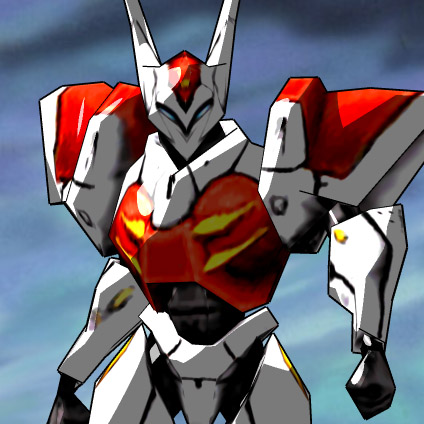` becomes:  Optional labels may be applied: ` ![Figure [robot]: A picture of a robot](robot.jpg)` ![Figure [robot]: A picture of a robot](robot.jpg) Any text after the URL is used as HTML attributes. The image is also linked to the original to make flip comparisons and zooming easier in separate tabs. Use the `autoLinkImages: false` setting on `markdeepOptions` to prevent this. ```` ![Figure [robot2]: A picture of a robot with a caption larger than it.](robot.jpg width="150px" border="1") ```` ![Figure [robot2]: A picture of a robot with a caption larger than it.](robot.jpg width="150px" border="1")  , but not other images.](robot.jpg width="150px" border="1")  If the image is embedded in a paragraph and has a caption, then it floats right and any width specification is propagated to the full captioned image, for example, the image to the right of this paragraph. Use a space as your caption if you want this behavior but don't actually want a visible caption. You can also just use a raw HTML `
 `
Captionless images work as well. Source `` becomes:

Images are centered if they appear in their own paragraph block and
inlined otherwise. Grids of images are recognized and laid out as
grids using HTML tables:
  
  ` becomes:

Images are centered if they appear in their own paragraph block and
inlined otherwise. Grids of images are recognized and laid out as
grids using HTML tables:
  
   Images may be shown pixel-perfect under zoom (which is good for computer graphics/computer vision results and pixel art) by attaching the `pixel` CSS class: ~~~~~~~~~~~~~~~~~~~~~~~~~~~~~~~~  ~~~~~~~~~~~~~~~~~~~~~~~~~~~~~~~~  Images may have an attribution overlaid, for example, to display copyright information. Use `attrib` and `attrib-url` properties for this: ~~~~~~~~~~~~~~~~~~~~~~~~~~~~~~~~~~~~~~  ~~~~~~~~~~~~~~~~~~~~~~~~~~~~~~~~~~~~~~  Reference Images ---------------------------------------------------------------- Markdeep introduces a new feature called "reference images". These have several nice properties: * Put long image URLs elsewhere in the document for clarity * Indirection so that multiple images can reference a symbolic URL * Embed [base64 encoded images as data URIs](https://www.base64-image.de/) directly in a Markdeep text file ~~~~~~~~~~~~~~~~~~~~~~~~~~~~~~~~~~~~~~~~~~~~~~ ![This is a base64 embedded reference image][hasselhoff.png] [hasselhoff.png]: data:image/png;base64,iVBORw0KGgoAAAANSUhEUgAAA... ~~~~~~~~~~~~~~~~~~~~~~~~~~~~~~~~~~~~~~~~~~~~~~ ![This is a base64 embedded reference image][hasselhoff.png] The syntax is the same as CommonMark reference _links_, just with square brackets. You can use all of the Markdeep image features with reference images, including image grids, floating images, and images with attributes. [hasselhoff.png]: data:image/png;base64,iVBORw0KGgoAAAANSUhEUgAAAGAAAACACAMAAADDApyIAAAAwFBMVEWbnpufo6Wjp6WkramjtKytsKimpa2ru66qv7O4vbqQjoZ0bV+xsbSAfXNlX1BYQy1GNCI6OC8qKCEcEAduVDpQTUIMDAwFCgYWFxMpHBI5JRejtqYdHRkJERKetquctKULBQQOHBcQEhEMCwWyyLyju60GCgwFBguQak6ie2EEBAS6ineevLALBgrRoZNzNhuTVjXMdle3akjhgmb1pIj3tpnuknf4yK333Mj29fLnxMAAAADY2uTJyNMcRi0pY0RMIhbqAAAVt0lEQVR4AWSQCxLCMAhEMRDRfu9/W7fZyLTwhghjnH0RkVehAVVUwkBH0wsOFmDkDbr+vwBDILfw62iL9Cqw3hUwI2BqHHooeKfXo4AWCROAu5FkiFyMc+A/KAzHTcDf+1UOFHdzEXQWARs/a35KH4N9viaiTaTrsq4LrplP6p6mLK9I+Hrw3My2IXYHy74e54EurbslIpgWtrKihnoq3FT280dneeg5qutgPGdP9v6YMFifhchYikg2ngbb3v/xrg3ZGk561d9foQAxcgyxh8jQhhC6h2bfNH8k8dvk9VV5LBb9b9OiH+M/Pu4OrQgBx6ekfW80xD62BVQktbuHOuS0KaVqWTPYlPDDnocDgUTEfByT6zD0mkam5DDA0DXN/ewVsLw4X+5a9Mug2pWmG+gTEZRsvKbsfM3Js5OnFNlZ9fDwY9pm4BXwl0U/KrQyHoMRBAbxXADPOeVcXrFrYuZBVD7+KaHMrAtfDTqfL+e7DP5I+PHfACPSHvzs+RN1UC9ejVlNPTENhu6uq4Vxvj2XV5sW/ejP48NBLOWRqwZWpY6PkTh7SmqcmfvIffebhMsy+rwC1td3Nf3VoYddCAT18SkGIgAtazx6UjAnB1KCFgYOdx6tT/Wyhrwt4GUX1YQ0OSpHzcLAAydnGIgd7IA7m3UvzZ0/5WlFFMBmhfYvB+9BxGo8kJQIPAFHlpxNXRGzuxuUESO6l5fXX8suIa+vNgBlK7gBmkP/iYSOfRAV4bfs+S3i/aoc+TkOMEZyo+hsrOg+NMv2trqytGi/qWBVUfPdkdI0EUOkcHy8pnFkPrrKPEtkJhLLKuS90MgYDk3VsMy/3LzaBtTjQd17dmbzhBiJZJqEvbYzc1QjkW7idy4AN+Ic5+H9CsTdyzLxspj0S8BmTYuAj8F6mfQ9oZVpRuYFEGJWEEzCmEUMIHpGG8exPISXm4BbjSqpfrItYB+Mk4FjRABI85hzsQjp6kYws3Rl0MAgjux55BB197IUp85eCFuADzcBDwftk0M9EiTm5GMFJJE8ukGzA/4E4rdYAGkYPqsMFprX0+l03p8u6+JXyL2CSmhCn66pAMwIfD36dcyJDTyODgAK0hg0JaKUU2yZhGLJuc4/n86/x1AOhHcV+vD474DBFQozzentKeeUkoF4zG5EUHaP0ZXITCly2w7QoWtOiy/1um5vm4CC2HdCYoCSmfszBrCaKeZJU3kBZi0ClVnIoEKfqWslYvjntcxerV8T2Ay5GHQwEaMJHEAE+TKR9oA6s6mrWuTimXPySBIAFBR13YBDUxJYI1hV7L9+3QA0u2Bc55JOVFtKFQMyy2MuDHhyv7qmAqnzzVgjhRBD97oYUzeG24v7kEtJ97tWvqnMBTC3ELLeaJ6IjAwxM0VPzK5+vV65og2mQ8sausPlfFqrUwGrS/eA/aE7zMYFIGWuiJlBANSXiGOq6/cayTGXZ5pkYRSDCmBfS3paAz4tQXz9ercl1xOrL6Bpmqfpy/TlO7SmITbPYsUWj56dC1WGzKkCYAbqQhik29Ut4fITUC9bClrME6ZCmOcKsFlUBTJRAYwcc1IWoWmCASByLph5iNx2/5Sx657iddkpnf4DIPIFkCJgloKimUASiJbSppS8p+8yCQhEYiFGo+n/dJgJf6LK0sY5znBUWsAkMEdNZo+/lz7ti6wNmMz3/1r3qadtNcm9NQiTrf61F2CSuzyJV4+Pe9FO40HYvwUErtECJebtoELjyAqcUy1neAAXntAQWBAFMlJkgCZIUKK1ShEk9biH6dTLz/7wMQe4TVQwFinFAS9SY4oCVxCOyCYYyE/6gBBmjP8aghWRJLtkliTzheSWwwIofPYfNtoKRZTjz6AaQoYuwKq0rijrHQC7Y1UUVbbmr8A9uLJNZlG030sNPe6F4AHv2yBWcQJLU2jln+NTFRUAddPUbdtUGSjHqtFCwEgRS1SeJ2keB8F3rmZRLIzDtxvAzEdIJUmGdMJxCABQVzRN1dR13XZ9Z62tGwhPVQX9yIFSqUpzpbA3IZ95fKN88ODTX3GK8nDBlvCYzrZtW7cQa4ehtR2/Id8BQ3IjTq6zJItiAEQ1S5WAw7synbkcI3Vp6pqoMLaDyKnvh2Hsa3DksHRF3HCRVFmcoNEwhOgDABQPYH26FEQSoXvkTG5KUKNick/14ziN0FghVBZfg9DWEC2ELFWxylXwaeH10n7IngAo95hAwd9c7m2xHOEB4k4ZCOgQdurvfKTqpmDDJTpWKqb9AMiBfyIe4JdBECeyJ7cQALSuLQkDAdM09hbS99RPAGMEBAFzZACmnxGQg+8DT1hJFa23iZIpvEOWWwIGApwMAmQ5OYSu0jWMUaHi3dcjNPs2w9kDZj4H8EBl23WUcJJlmoBOCJ6BqwAkBxSDeYXCy6MkDwCA0kcqpzAHPkgEfIpjZGEHN8TxggAn3gXqJ8ATSvwFCnWdLK56PeIQvH+0idDJ2xSlJA4UhgVKuYRI5BwjIsqTWT8hzUn07AE+RJBLDmaUz0GSyLQDgQDLEr1NwuABQqATp9Gsf91lmQr2F/F9cAvgEc6yFElYuyHUtD0BkBv9HgBCR8BUrp8ws6n/g7wLURgVUEztOFqx/OzBpYaG3hMgqFOD8k3wrKLmLgXYZm8BM5rvn87iAktYdwajMik6aS6qGm4z4Am2lZFanKYpftipYO7DA4Bn+GE340nmRVTs/m+rMXQarYqercVQQKnX7x1oi6qSVaFPU7zLTRks5hh0XvklB+8engKdbl7U2LWlKYqB+jnd6nM9UblYXzcIItdRZia1U8YEz3J/7QH+cgXMiFjpdPuSTX07lIUGYLCUGjMB/1p44vJbY7XJHkCrVHpU69joGID94/9KMrQTsNSyzsaxtWXR9BNcgTSMRQH9tju3WHNUcR6dyqpqGjvGqTIZAV4+Apx8WsWwLEMkrCnqYRo4NisTYpOuSi4HzumqOr1GsSnbQtw6qbU2+ffna5YhN41G+z0hyvCgZ1ApJhMAAw67jS4xSV1bIP5VO55KLrUWclK7soif528HhTvdeEAJg2S7fUhRMyY1IwEOYSGdZBidUVc1zlxqbWfFg8xEi8V87gEXuV2Zn84xUlsQ9Dh0mfYAqXyhkDWMHey2jssVXZ6Kplw8M7+PPHvQzTSFuOcnPADKwxPKUR9LAi6dRYEXANjOCwCnU1M/w3448EG+XwHnl3XzcP2wWz8UaKq6xIkAOUFGCUw/oEZbkCiMUGlmzwvIfyF884BrHS1juLDb1pfl4q0fBCcA5KBhiC6A5fNcPHjrxEH0H6472QPCZbzDs91DA4UnRxhx7uTKsURAy74moDuVK5hP7beEA5PgN+bNy7TVMlLp7m5dDw7Q0XQQGCBJMnuahN4BQgFQN8bRtVgJ+PCyKwxXf4Knu9Uf3QEwjufYuFyQ07UAwHjxwAMYHiIIIAEIn2RqvwDmy/zlbjWFNQATAUJgjpkEACoQCLBXAMXr/na+AvDxjfIyevryFE2vBSe02A4SLr7nCHClylFbesC7lcmXR4EfFFf9yPLvze9kmpRxNoMgit1+dloxWo+1PQOMAWCPw4cHDzYSq28HD8DHR4gA9Xvza/tnirSLeidaW3v+n9SSTKNj07qtb7ShB6KTaT6EZYgS+sw8B6L77789wQHyfzY/fwTT0njtYijdEMCEa3M8ukcGiCk0AAvmmPaX+P2SJcQcXHTzKoBZ8u/m6Z/k9TWkdpppJRVkMcuin088XMzmJsHzQyhO2uWBBAI8QcS9kM2/bH7dB39WpQeI/kvvdraifpl5Q18XhXm+IXwrpTO7fgEfmAM/6i4OhNF9/oR34HioMwQQImfnhG0pNbJgMZiaqri2AT4h9ANQuhdTPsk+QiDMV7PNff7l1yZUub6OTJn80sx+RteIkpW5VFTaObDgqDiUg9S2A9ADKPYfkXmwnNQmx6v8SG0S01kf90r7HFiR7MiBZys4QACEOej6E9rGmsOjB7wt1GUSTEhC/v8vcfSSawB8cOpymtAYJ94ilRUSD2CTVRGW/QVwCF2q2lIA350HOC4ENNlfr7mK1a9/VfRyn9YSEQCE0Frc6Tnpa4h0BxzALeOCIXIROj+/hQe8eDkDbpK8/E9b5qKcuK50YSd/hX+wsTZqopZgxAm0dxmiHOe6K7U9DZn3f6vTLRtnbl3mPrO+rNWyLEERoilrV9kI1oUYlu+fAJ37dS3Wf9PFzKuyX2+PN+dpDOndo/5j+Vz2IXcjYPSgDzcLy1Db69pGgvzV0+r2YiFf5gWhlQeRdF2G6NGUX//ODrK+ALRTmtAImJqgTuaGkYsaCsBAIUqF1as0QQ6dlcbtawbJZPeu26dNWoMZr2c6SEcDCsiEn5aO87Lx5GEBYEW+ARBGWL8MbRaCPhlnDj3JZJZ4WOJys1pf6aJOAF/lNNYsX16kBXcT4HrMaCEBEW3JAe8DWRezB9q8ZOGBMCUkWYn+PYTlprH/r4uuL1LaY3H68qDfG00RDf0dAgq03aZW7sjVZkfiAIIQMkBKH0eKPDw8PqwDAVTnv7W+fP3yJQPe3ub/lS1yJlxaoAHVnCggbrUQTWXsLgjAkvRh2qrly3MGiINvxSoEWxVf74qyMs7aKq9B3h5v7u7kqiCEHwCL68gUtmMR23JZW44iYP3qOesPLrL+kJACNEgACOh5t3rVS6uMIV2P3xfXd3eybNFwlDF3jDG020uxc7YKGChCpJEwGFHAsAXPgBgCIYWwruxTXmW+//P4pPO5dOrh4TKKCg0IoFXAAGk9NM54IgoisXqS8TPu+YWTv2q5v30sm6CfRqHE8tv8UR1KoxTwosP15eUC0ICCjYdMQFHND9FCq4RAStBFV15hDNPr8fbpsUpB5QVC677/donw8ahLs+z1ApCAvHV0UH3SwUOI7RZ3AyFOhCyQHRz/enp+NALYQ1STq+r6IZ+OuqzJ31W96VAoRv3SczS2FQctaqCqCl50AXNIpCm9fU7Xb8+S8vOj82LgQz+NsFrLkjjzX17FYL6ijg6K/1tYPmQDY2lKwVIr97QdLVCzedY/SutFL5rPr4/Wi/4HZMD6OY8yTV4HwbgkKK4K7XDFiZxA2s8SUWg1LyFgAEXhaimbvuPrUf78nMJD3NLH9+8ZsN68DwHqEB4Jgshn8qKIzGAitz9WRAuJvHhBRIhI2oj1JtfTswLeqkRBASiA1fP0DcAwjnNILwrQDh8a5zC1P1ewPtokFhAJCCOIrUxYDoCXZaL9x8f3jybEuH5R/XEMSCngTQFqIKQUjUuH9rMJepcA2DhGseBVHWIrQqMDqdsVEYyAsPxnWh5rvQ8GFCAGEiZb5RYcJkAuu91lgiAgeLJRQPn7QiU8LxvSFnz/0DH2rOdIjmi4JKh+BhSLMqAYMGFyMBWD5UbIAmgDYBttSPtM0EH6vGlpfwGs3/4dAONskjssMYqDhSPsbOXwN30xZCOHKrCGBNF7sOiFsAqbJ6n1lqICvlNolnmxMe7n8jpKbtIoNWBjAlfZ7jd5ARAgg2k8tj6AUgC7/UdAXAsgKEAJSLvnUX+cSHS2VcCrtMC5GKwxIAn9gRDCga1lCgKCRBgDtnuIStAf1vYK+BDAcdwHKeBdSwEa0awWgHXGCeCPBCLPEOVIwaJUnqQ+4j5s1r4lJYwAIch2SADv04mQe2AqB0buogAy4lcOYvKAFHXUJtTa4na/F+VICYM+IUrHfLlTB/rd/KT/WpSmNq4yEhEfsvZhrDb3fHgvUfCIB7Ly0GaG2Npq+vtOTOwF8Fe+VChA8tcuiLoeRV2XVV1XtbMBs+yoPvi4mElIygGbYmhF3Xtrot9LOklpRLh+U3GdTdWBjqBhtirqq6Kc1VelAwhJhVOS2yFNgLEI9d4GAEaMyLGuWJPCXGLheQDoNjpfUQUgx0NRzmeL89W5MAAookjDFZD0xQgYSAIQWdsAtOyqxAQt0nYEIDWrNx1FeZEs9T4AHu6L4nw+yVEYGztC0sqeu6EbE8MPUVmIdWRysUncIIbQXizsXnUQ6dJP9XWICuL+vpid+v7cn0vpQRdQE5J8tNqpGaru/WjEAsSQEmJjo2frGIfyq/cM+OFHJNE/HotF35/O/aysLY6K6XMcTS+9ArQ4uHVD6KXhJhx8BN8NgLT+598snxccw0R3r4CzAE7nxdykpKHwUCNiAihrmv8Cj1M5CmjbSUh6rJZSeT2kP7C9aJv1F10FSA/O1UpcHzgRgLWBRJY1qgk02BCKb9ABH3yTRJ95u9WFSKsUZgm2aVYbpWgLjrK6O46AQrpGLUYA0CFEwymnD4Ka7vJ5h+JBHDbirZM2bA9eAFIo1TRiyq+zD9F/Hh2cF4srswsBKbQ8VEocI5OftL1UGpLClK0IIDnXptZv916GATY4HG0bN0I4HlW/VMBidpo7CKzyGJ0D0v9MEfmHjBITsQIElASgsBSj2Er7ve+Eq0Xohcx+9XR/rwYKOQ1Op6tTf64jBuBgKudcxFbS7IK1E6HT9gOlwyA+docjsDxsBSBA8SgI/dijJ/nWPOsX89NiLm2AYKlzlbPC6Zi1wxytx0tGHOoYRE5cqYnh3US2TT6NgFb6g+oxE3h1+1Bozc5ioK+rugumCmzr0kDYkXZBMVpihy3czKINrK4UMICZtgNg9LnbTQOuYa6+/Kcoi/JqIfp1X1kHDdR1bVyEEEEII6PrxI0DWNTOMtXAShxPeQkmjQ580yQBpAuCmW15VxZ1ee5v/upPVS3unXFS4EzjIicUES3pmqBCPXc2sjOcxtJO+AGguemODvVNxbfciIemvitM2Z+W575wDR9ovUtE2AQTbEXcYUr5dMNWCFQVtaizWhjJGS637SgaIo36PoXjrQM2d4Wb9WbTnxx2HSJY4lyeLaRESLkZOv9LpDeFqSy7mvkHgOp9AiWqwRsb+QGrpFoA5xO7vl4xdYKAHBGgqMpxQAJ9kroYmaPkaWpOM8f8owkFqOZOejUVl33fmyijyJ0qrnrThBwIB+ciBWyJEmvFTGB2TkzdFK4U2ycn7/hJ68LC7gcq23/7h7X7WwBXUQCuiR2x9nKshN1OhRlsdhwqZ5Mpqqpgnsuojjy00yeeAIQ/WthUGwZTy39hNuUOAlOY1LN0luAEJDRkuJ653Xxm5yCJ3iwWgX1W/tjz1IAu/VAqwIwyMjg5q4DGOkgsakrI+gOtS3wIuKvrGure1lfcnBdlf96xFwDvlfCj+FQZzEVtGS0gyfPGVZXDHLtWF60FyLjksUvWWXuq1ifg+lyc+oKHPuwzYKoxgOlVoWlaUDdykDXGhoDYcQzaYXkN2VDqGCsDxZmvC16d+qtzX2eVln/WHw5ulcQKcFvWCWbX8VABHCA2YTgjUgNVBTxUXSd3EhdWxuCs7nvL6efSYRFJZfmAYyP/BwlyavFHkd5AAAAAAElFTkSuQmCC Videos ---------------------------------------------------------------- Video file extensions are automatically detected and will embed a small video player:  URLs for Youtube and Vimeo videos will also automatically embed a video player (Note: YouTube now [blocks embedding on localhost](https://stackoverflow.com/questions/51969269/embedded-youtube-video-doesnt-work-on-local-server), so these must be viewed through a server or linked):   ![Figure [fig:boy]: The Boy with a Camera For a Face](https://vimeo.com/channels/staffpicks/151493973) URLs for images may be surrounded in optional `"` quotation `"` marks. If your URL contains parentheses, then it _must_ be surrounded in quotation marks to make it unambigious. Recall that URLs are not permitted to contain spaces (by their specification), so to embed a local image whose filename has a space, either rename the file or replace the spaces with `%20` in the URL version of the name. Audio ------------------------------------------------------------------------------ MP3, WAV, OGG, etc. audio for music and podcasts are supported using the same syntax as for images and video: ~~~~~~~~~~~~~~~~~~~~~~~~~~~~~~~~~~  ~~~~~~~~~~~~~~~~~~~~~~~~~~~~~~~~~~ Creates:  Symbol Substitutions ------------------------------------------------------------------------------ Markdeep converts `<->`, `<==>`, `->`, `-->`, `<-`, `<--`, `==>`, and `<==` to arrows if they aren't in a code block or latex expression and are surrounded by whitespace. Examples: - if this ==> then that - here <== there - this <==> that - A <- B - X -> Y - back <-> forth - long --> way - back <-- there Two or three minus signs are converted to an em dash--like that. An "x" between numbers, such as 1920x1080 or 3 x 4 x 6, will be converted to the times symbol. Negative numbers, such as -5 and minus signs between numbers such as 2 - 1, will have a minus sign instead of a hyphen. Degrees are reformatted to the degree symbol: - Cold, 37-degree F water. - A 45-degree angle. - A right angle's measure is 90 degrees. It doesn't reformat the word "degree" when not following digits: - Don't give me the third degree! - I have two degrees from MIT. "Smart quotes" are applied for double-quote marks based on position relative to whitespace: "a" b c a "b" c a b "c" a "b!" c a "b," c a "b". C a, "b" c a---"b"---c a ("b") c "error" ==> "correction" Inch or minute markers such as 3' 9" are not converted. Quotation marks in HTML attributes and in code blocks, e.g., `var x = "hello world"`, are not converted. Admonitions ----------------------------------------------------------------------------- Admonitions are small break-out boxes with notes, tips, warnings, etc. for the reader. They begin with a title line of a pattern of three exclaimation marks, an optional CSS class, and an optional title. All following lines that are indented at least three spaces are included in the body, which may include multiple paragraphs. The default stylesheet provides classes for "note" (default), "tip", "warning", and "error". These are case insensitive and ignore any colon after the CSS class. Here are some examples: ````````````````````````````````````````````````````````````` none !!! I'm a note. Don't mind me, I'm just sitting here. !!! note Another note. !!! Tip Close the door on the way out. !!! WARNING I'm a warning, perhaps. *Something might happen!* !!! ERROR: Seriously Watch out, something **bad** could happen. This is still more error text. !!! Admonition with more content.  ````````````````````````````````````````````````````````````` !!! I'm a note. Don't mind me, I'm just sitting here. !!! note Another note. !!! Tip Close the door on the way out. !!! WARNING I'm a warning, perhaps. *Something might happen!* !!! ERROR: Seriously Watch out, something **bad** could happen. This is still more error text. !!! Admonition with more content. ![Figure [admimg]: Image in an admonition.](robot.jpg width=256px) Code Blocks ------------------------------------------------------------------------------ Inline code is between backticks. It is not syntax highlighted because it is usually too short to autodetect the language. Use `markdeepOptions = {inlineCodeLang: 'language'"}` in a `script` tag to select a syntax highlighting language from the list below for inline code. Set off large blocks of code using equal-length strings of tilde `~` or back-tick
` characters. Each produces a different CSS
class so that they can be styled differently.
By default, tilde blocks have lines before and after them and are
inset for use as code listings instead of large inline code
blocks. Both styles receive syntax coloring and automatic programming
language detection.
You can override automatic programming language detection by putting
the name of the language immediately following the first fence. The
supported languages are (capitalization ignored):
`bash cs C# cpp C++ css coffeescript html XML http JSON java Jlia JavaScript Makefile`
`markdown objectivec Objective-C PHP perl python PyxlScript ruby shell armasm glsl`
`go haskell kotlin lisp lua matlab R rust scheme swift sml tex typescript yaml none`
You can specify a custom CSS class for a code block by placing its
name after the language name.
~~~~~~~~~~~~~~~~~~~~~~~~~~~~~~~~~~~ C void insertion_sort(int data[], int length) { for (int i = 0; i < length; ++i) { ... } } ~~~~~~~~~~~~~~~~~~~~~~~~~~~~~~~~~~~ Alternative back-tick markup: ```````````````````````````````````` def insertionSort(data): for i in range(0, len(data)): j = i; while (j > 0) and (data[j] < data[j - 1]): temp = data[j] data[j] = data[j - 1] data[j] = temp --j ```````````````````````````````````` ### HTML and LaTeX Blocks You can even have HTML in a code block: ~~~~~~~~~~~~~~~~~~~~~~~~~~~~~~~~~~~~~ Show this HTML as source,~~~~~~~~~~~~~~~~~~~~~~~~~~~~~~~~~~~ Cvoid insertion_sort(int data[], int length) { for (int i = 0; i < length; ++i) { ... } }~~~~~~~~~~~~~~~~~~~~~~~~~~~~~~~~~~~
not code.
~~~~~~~~~~~~~~~~~~~~~~~~~~~~~~~~~~~~~
``
`````````
`````````
!!! WARNING
Please refer to Section [Less-than Signs in Code] for best practices
regarding the use of < and >. We recommend wrapping the whole code block in
script type="preformatted" .../script ~~~~~~~~~~~~~~~~~~~~~~~~~~~~~~~~~~~~~~ Python linenumbers def insertionSort(data): for i in range(0, len(data)): j = i; while (j > 0) and (data[j] < data[j - 1]): temp = data[j] data[j] = data[j - 1] data[j] = temp --j ~~~~~~~~~~~~~~~~~~~~~~~~~~~~~~~~~~~~~~ [Listing [sort2]: An insertion sort with line numbers] ### Multi-code Blocks and Custom CSS You can interlace different languages or CSS classes within a single code block, but each is required to specify the language in this case. This is convenient for highighting lines or showing the trace of an interactive session. An example of a fenced code block with a CSS class and custom styling:~~~~~~~~~~~~~~~~~~~~~~~~~~~~~~~~~~~~~~ Python linenumbersdef insertionSort(data): ...~~~~~~~~~~~~~~~~~~~~~~~~~~~~~~~~~~~~~~
And its result: ~~~~~~~~~~~~~~ Python input >>> x = [1, 2, 3, 4] >>> [y * 2 for y in x] ~~~~~~~~~~~~~~ none output [2, 4, 6, 8] ~~~~~~~~~~~~~~ Python input >>> x + [5] ~~~~~~~~~~~~~~ none output [1, 2, 3, 4, 5] ~~~~~~~~~~~~~~ [This listing combines multiple code blocks to show the input and output of an interactive section.] ### Less-than Signs in Code ### #### Summary #### Less-than and greater-than signs (`<` and `>`) do not need to be escaped in diagrams or code as long as they do not appear immediately adjacent to a letter. You can even put HTML tags to appear *as* code inside of code fences and inline code. There are two special cases where you do need to do something different to render less-than signs correctly, however. Browsers interpret `<` immediately followed by a letter or `/` as an HTML tag. This only matters for `< script>` and `< /script>` tags inside code blocks and for C++ templates where you are preserving capitalization. **Script tags in code fences or inline code:** put a space, a UTF-8 zero-width space, or `\` between the `<` and the script tag name. Markdeep removes the break character when rendering, so the displayed and copy-pasted text is correct. Inline example: `< script src="app.js">< /script>` **C++ templates and other less-than followed by a capital letter:** wrap the code fence or inline span in a `< script type="preformatted">` block. You still need the space on any `< script>` or `< /script>` tags inside even with this workaround. **Operators and arrows:** no special treatment is needed. `x < 3`, `x->foo()`, and `std::vectorstyle .md code > .input { font-style: italic; } .md code > .output { font-weight: bold; background: #FF7; margin-left: -20px; padding-left: 20px}/style ~~~~~~~~~~~~~~ Python input>>> x = [1, 2, 3, 4] >>> [y * 2 for y in x]~~~~~~~~~~~~~~ none output[2, 4, 6, 8]~~~~~~~~~~~~~~ Python input>>> x + [5]~~~~~~~~~~~~~~ none output[1, 2, 3, 4, 5]~~~~~~~~~~~~~[This listing combines multiple code blocks to show the input and output of an interactive section.]
* | ^ * Would you learn who won by the light of the moon and stars?
* v | * List to the yarn, as my grandmother's father the sailor told it to me. * --+--->+-- * * | | * Walt Whitman ************** With code fences, you don't need any border markers at all: ``` .----. | | '----' .------------> | '------------- ``` Below are some more examples of diagrams. Diagram Examples ================================================================================ Lines with Decorations -------------------------------------------------------------------------------- ``` ________ .--. o * * .--------------. *---+---. | | o o | | ^ \ / | .----------. | | | '--* -+- | | v | / \ / | | <------. | | | '-----> .---(---' --->*<--' / .+->*<--o----' | | | | | <--' ^ ^ | | | | | ^ \ | '--------' | | \/ *-----' o |<--+-->| '-----' |__| v '------------' | /\ | | *---------------' ◌------○ ◍------● ----+-->| ``` Graph with Large Nodes -------------------------------------------------------------------------------- ``` .---. .-. .-. .-. .-. | A +----->| 1 +<---->| 2 |<----+ 4 +------------------. | 8 | '---' '-' '+' '-' | '-' | ^ | ^ v | v | .-. .-+-. .-. .-+-. .-. .+. .---. | 3 +---->| B |<----->| 5 +---->| C +---->| 6 +---->| 7 |<---->| D | '-' '---' '-' '---' '-' '-' '---' ``` Graph with Small Nodes -------------------------------------------------------------------------------- ``` A 1 2 4 8 *----->o<---->o<----o-----------. o ^ ^ | ^ | | | | v | v | o<--->*<---->o---->*---->o---->o<---->* 3 B 5 C 6 7 D ``` Flow Chart -------------------------------------------------------------------------------- ``` . .---------. / \ | START | / \ .-+-------+-. ___________ '----+----' .-------. A / \ B | |COMPLEX| | / \ .-. | | END |<-----+CHOICE +----->| | | +--->+ PREPARATION +--->| X | v '-------' \ / | |PROCESS| | \___________/ '-' .---------. \ / '-+---+---+-' / INPUT / \ / '-----+---' ' | ^ v | .-----------. .-----+-----. .-. | PROCESS +---------------->| PROCESS |<------+ X | '-----------' '-----------' '-' ``` Line Ends -------------------------------------------------------------------------------- ``` o--o *--o / / * o o o o o * * * * o o o o * * * * o o o o * * * * o--* *--* v v ^ ^ | | | | | | | | \ \ \ \ \ \ \ \ / / / / / / / / o--> *--> * o / / o * v ' o * v ' o * v \ o * v \ o * v / o * v / o--- *--- ^ ^ ^ ^ . . . . ^ ^ ^ ^ \ \ \ \ ^ ^ ^ ^ / / / / | | * o \ \ * o | | | | | | | | \ \ \ \ \ \ \ \ / / / / / / / / v v ^ ^ v v ^ ^ o * v ' o * v ' o * v \ o * v \ o * v / o * v / * o | | * o \ \ <--o <--* <--> <--- ---o ---* ---> ---- *<-- o<-- -->o -->* ``` Tests for some tough cases: ``` +-+ \ \ | / / + + \ v v v / +-+ \ .---------. / \ | / v| |v vvv +-+ --->| |<--- -->o<-- | | ^| |^ ^^^ +-+ / '---------' \ / | \ / ^ ^ ^ \ / / | \ \ ``` Trees -------------------------------------------------------------------------------- ``` . . . .--- 1 .-- 1 / 1 / \ | | .---+ .-+ + / \ .---+---. .--+--. | '--- 2 | '-- 2 / \ 2 + + | | | | ---+ ---+ + / \ / \ .-+-. .-+-. .+. .+. | .--- 3 | .-- 3 \ / 3 / \ / \ | | | | | | | | '---+ '-+ + 1 2 3 4 1 2 3 4 1 2 3 4 '--- 4 '-- 4 \ 4 ``` ``` X Y / \ / \ / \ / \ A Y --> X C / \ / \ / \ / \ B C A B ``` ``` .-. .-. | X | | Y | +-+ +-+ / \ / \ .+. .+. .+. .+. | A | | Y | --> | X | | C | '-' +-+ +-+ '-' / \ / \ .+. .+. .+. .+. | B | | C | | A | | B | '-' '-' '-' '-' ``` Digital Circuits -------------------------------------------------------------------------------- ************************************************************************************************* * ____ * * * | |_____.---. | * * o _____| )----------)-------. * * / \ | '---' | __|__ * * /___\ | | \ / * * | '-------------. | \ / * * A ----------------' | | o * * .-------------------. o-----)-------' | * * | |___.---. | |___.---. * * B ---*---.__.---. ___| )--*--.__..---. ____) )----- Y * * __| o----*--' '---' ______)) )---' '---' * * C -------' '---' | | ''---' * * | o * * | / \ * * | /___\ * * | | * * '--------------' * ************************************************************************************************* Analog Circuits -------------------------------------------------------------------------------- ************************************************* * * * k x₂ * * .---.╱╲╱╲╱╲╱'---. .-----> * * | | .+. * * ----+ *--+ m₂+---> * * | ---. | '-' x₁ * * '--------┫+-----' * * ---' * * d * * * ************************************************* Gantt Chart -------------------------------------------------------------------------------- ************************************************************************************************* * ║ Preproduction┆ Alpha┆ RC1┆ * ═══════════╬══════════════╪════════════╪════════════════╪══ * Story ║ ▆▆▆▆▆▆▆▆ ┆ ▆┆▆▆▆ ┆ * Concept Art║ └▆▆▆▆▆▆┆▆▆▆┐ ┆ ┆ * Modeling ║ ┆ └▆▆▆▆▆▆▆▆┆▆▆▆▆▆▆▆ ┆ * Rigging ║ ┆ └▆▆▆┆▆▆▆▆▆▆▆▆▆▆▆▆ ┆ * Mechanics ║ ▆▆▆▆▆▆┆▆▆┐ ┆ ░░░░▆▆▆▆ ┆ * Engine Code║ ▆▆▆▆▆▆▆┐ │ ┆ └────────▆┆▆▆▆▆▆▆▆▆▆▆▆▆▆ ┆ * Game Code ║ └─┴▆┆▆▆▆▆▆▆▆▆▆▆▆▆┆▆▆▆▆ ░░░░ ▆ ┆ * ║ ┆ ┆ Freeze ┆ ************************************************************************************************* Big Shapes -------------------------------------------------------------------------------- ************************************************************************************************* * * * .---------. . .-------. .-------. .---------. .-----. .----. * * \ / / \ \ \ | | | | / \ / \ * * \ / / \ \ \ | | | | / \ | | * * \ / / \ \ \ | | | | \ / | | * * \ / / \ \ \ | | | | \ / \ / * * ' '---------' '-------' '-------' '---------' '-----' '----' * * * ************************************************************************************************* Small Shapes -------------------------------------------------------------------------------- ************************************************************************************************* * .---. __ .. * * .--. . .-----. \ / .---. .---. ___ ___ | | | ) * * / \ / \ \ / .-. . ' . | | .---. .---. | | / \ | | '--' '' * * \ / / \ \ / | | / \ / \ '---' / / \ \ | | \___/ |___| .. __ * * '--' '-----' ' '-' '---' /___\ '---' '---' '---' ( | |__| * * '' * ************************************************************************************************* Overlaps and Intersections -------------------------------------------------------------------------------- ************************************************************************************************* * * * .-. .-. .-. .-. .-. .-. * * | | | | | | | | | | | | * * .---------. .--+---+--. .--+---+--. .--| |--. .--+ +--. .------|--. * * | | | | | | | | | | | | | | | | | | * * '---------' '--+---+--' '--+---+--' '--| |--' '--+ +--' '--|------' * * | | | | | | | | | | | | * * '-' '-' '-' '-' '-' '-' * ************************************************************************************************* Big Grids -------------------------------------------------------------------------------- ************************************************************************************************* * .----. .----. * * / \ / \ .-----+-----+-----. * * + +----+ +----. | | | | .-----+-----+-----+-----+ * * \ / \ / \ | | | | / / / / / * * +----+ B +----+ + +-----+-----+-----+ +-----+-----+-----+-----+ * * / \ / \ / | | | | / / / / / * * + A +----+ +----+ | | B | | +-----+-----+-----+-----+ * * \ / \ / \ +-----+-----+-----+ / / A / B / / * * '----+ +----+ + | | | | +-----+-----+-----+-----+ * * \ / \ / | A | | | / / / / / * * '----' '----' '-----+-----+-----' '-----+-----+-----+-----+ * * * ************************************************************************************************* Small Grids -------------------------------------------------------------------------------- ************************************************************************************************* * ___ ___ .---+---+---+---+---. .---+---+---+---. .---. .---. * * ___/ \___/ \ | | | | | | / \ / \ / \ / \ / | +---+ | * * / \___/ \___/ +---+---+---+---+---+ +---+---+---+---+ +---+ +---+ * * \___/ b \___/ \ | | | b | | | \ / \a/ \b/ \ / \ | +---+ | * * / a \___/ \___/ +---+---+---+---+---+ +---+---+---+---+ +---+ b +---+ * * \___/ \___/ \ | | a | | | | / \ / \ / \ / \ / | a +---+ | * * \___/ \___/ '---+---+---+---+---' '---+---+---+---' '---' '---' * * * ************************************************************************************************* Tiny Grids -------------------------------------------------------------------------------- ************************************************************************************************* * ┌─┬─┬─┬─┬─┐ ▉▉ ▉▉ ▉▉ ⬢ ⬡ ⬡ ┌┬┬┬┬┬┬┬┬┐ ⁚⁚⁚⁚⁚⁚⁚⁚⁚⁚ ___________ +-+-+-+-+ * * ├─┼─┼─┼─┼─┤ ▉▉ ▉▉ ⬢ ⬢ ⬡ ⬡ ├┼┼┼┼┼┼┼┼┤ ⁚⁚⁚⁚⁚⁚⁚⁚⁚⁚ |__|__|__|__| +-+-+-+-+ * * ├─┼─┼─┼─┼─┤ ▉▉ ▉▉ ▉▉ ⬢ ⬢ ⬢ ⬡ ⬡ ├┼┼┼┼┼┼┼┼┤ ⁚⁚⁚⁚⁚⁚⁚⁚⁚⁚ |__|__|__|__| +-+-+-+-+ * * ├─┼─┼─┼─┼─┤ ▉▉ ▉▉ ⬡ ⬡ ⬡ ⬡ ├┼┼┼┼┼┼┼┼┤ ⁚⁚⁚⁚⁚⁚⁚⁚⁚⁚ |__|__|__|__| +-+-+-+-+ * * └─┴─┴─┴─┴─┘ ▉▉ ▉▉ ▉▉ ⬡ ⬡ ⬡ └┴┴┴┴┴┴┴┴┘ ⁚⁚⁚⁚⁚⁚⁚⁚⁚⁚ |__|__|__|__| +-+-+-+-+ * ************************************************************************************************* Dot Grids -------------------------------------------------------------------------------- ************************************************************************************************* * * * o o o o o * * * * * * * o o * o o o * * * o o o · * · · · · · · * * o o o o o * * * * * o o o o * o o o o * * * * * o * * · * * · · · · · · * * o o o o o * * * * * o * o o o o o o o o * * * * * o o o o o · o · · o · · * * · * * o o o o o * * * * * o * o o o o o o o * * * * o * o o · · · · o · · * · * * o o o o o * * * * * * * * * o o o o * * * o * o · · · · · · · * * * * ************************************************************************************************* Unicode in Diagram -------------------------------------------------------------------------------- ************************************************************************************************ * ↖ ↗ ✶ ✹ ✩ ⓵ ⎲ ░░▒▒▓▓██ ▚▚ ▢ ▢ ⬚ ⬚ ⊕ * ▲ ◀━━━━━━━▶ ↙ ↘ ➊ ❶ ➀ ① ➕ ➖ ➗ ❌ ⎳ ╲ ╱ ░░▒▒▓▓██ ▚▚ ▢ ▢ ⬚ ⬚ ⊜ * ┃ ╭╌╌╌╌╌╌╌╮ ╔═══════╗ ┏━━━━━━━┓ ┏╍╍╍╍╍╍╍┓ ╲ ╱ ░░▒▒▓▓██ ▚▚ ⬣ ⬣ ⎔ ⎔ ⊗ * ┃ ╎ ╎ ║ ║ ┃ ┃ ╏ ╏ ⎛ ⎧ ⎡ ╳ ░░▒▒▓▓██ ▚▚ ⬣ ⬣ ⎔ ⎔ ⊘ * ┃ ╎ ╎ ║ ║ ┃ ┃ ╏ ╏⋮ ⎜ ⎨ ⎢ ╱ ╲ ░░▒▒▓▓██ ▚▚ ◯ ◯ ⏣ ⏣ ⊙ * ▼ ╰╌╌╌╌╌╌╌╯ ╚═══════╝ ┗━━━━━━━┛ ⋱ ┗╍╍╍╍╍╍╍┛⋮ ⎝ ⎩ ⎣╱ ╲ ░░▒▒▓▓██ ▚▚ ◯ ◯ ⏣ ⏣ ⊛ * ⋱ ⋮ ◢██◣ * ∑xᵢ 𝚺xᵢ ∫t²dt ┳ ⋱ ⋮ ◥██◤ * | * ┣--+--┫ * | * ┻ ************************************************************************************************ Simple Plot Diagram ------------------------------------------------------------------------------- ************************************************* * ▲ * Uin ┊ .------------------------ * ┊ | * ┊ | * *---'┄┄┄┄┄┄┄┄┄┄┄┄┄┄┄┄┄┄┄┄┄┄┄┄▶ * * Udc▲ * Udc_OK ┊ .--------------------- * ┊ / : * ┊ / : * *---'┄┄┄┄:┄┄┄┄┄┄┄┄┄┄┄┄┄┄┄┄┄┄┄▶ * :<----->: * ▲ 500ms : * ┊ : *Cpu.Qon ┊┄┄┄┄┄┄┄┄┄┄┄┄┄┄┄┄.----------- * ┊ | Inactive * ┊ Active | * *----------------'┄┄┄┄┄┄┄┄┄┄┄▶ * ************************************************* Graphics Diagram ------------------------------------------------------------------------------- ************************************************************************************************* * . * * 0 3 P * Eye / ^ / * * *-------* +y \ +) \ / Reflection * * 1 /| 2 /| ^ \ \ \ v * * *-------* | | v0 \ v3 --------*-------- * * | |4 | |7 | ◄╮ *----\-----* * * | *-----|-* ⤹ +-----> +x / v X \ .-.<-------- o * * |/ |/ / ⤴ / o \ | / | Refraction / \ * * *-------* v / \ +-' / \ * * 5 6 +z v1 *------------------* v2 | o-----o * * v * ************************************************************************************************* Annotated Table Diagram -------------------------------------------------------------------------------- ********************************************** * ┏━━━━┳━━━━┳ ┳━━━━┓ * ┃ A₁ ┃ A₂ ┃ ⋯ ┃ Aⱼ ┃ <--- Basis * ┡━━━━╇━━━━╇ ╇━━━━┩ * │ 16 │ 4 │ ⋯ │ 9 │ * ⎧ ├────┼────┼ ┼────┤ * │ │ 1 │ -2 │ ⋯ │ 10 │ * Xᵢ ⎨ ├────┼────┼ ┼────┤ * │ │ 8 │ 52 │ ⋯ │ 0 │ * ⎩ ├────┼────┼ ┼────┤ * │ 14 │ 0 │ ⋯ │ -1 │ * └────┴────┴ ┴────┘ ********************************************** Icon Diagram -------------------------------------------------------------------------------- ************************************************************************************************* * .-. .--------. * * .-+ | | | * * .--+ '--. |'--------'| * * | Server Cloud |<------------------>| Database | * * '-------------' | | * * ^ ^ '--------' * * Internet | | ^ * * .------------------------' '-------------. | * * | | v * * v v .------. .------. * * .--------. WiFi .--------. Bluetooth .-----. / # # /| / # # /| * * | |<------------->| |<---------->| | +------+/| LAN +------+/| * * |Windows | | OS X | | iOS | | +/|<--->| +/| * * +--------+ +--------+ | | |Ubuntu+/| |Ubuntu+/| * * /// ____ \\\ /// ____ \\\ | o | | +/ | +/ * * '------------' '------------' '-----' '------' '------' * * Laptop 1 Laptop 2 Tablet 1 Dedicated Server Rack * ************************************************************************************************* Styling Diagrams ------------------------------------------------------------------------------------ You can use CSS to style all diagrams or individual diagrams. For example, the following has light lines on a dark background:
****************************************************
* .---. . .----o----. *
* | | | | | | *
* | | --. |.-- | | *----*<---+ *
* | | .-.| | +--+ | |____| *
* | | | | | | | | | | *
* '---' '-'' ' ' ' o----o--->' *
****************************************************
Horizontal Rules
========================================================================
Following the CommonMark specification, any of these patterns can be used (and extended across
a whole line, of course) to produce a horizontal rule:
~~~~~~~~~~~~~~~~~~~~~~~~~~~~~~~~~~~~~~~~~~~~~~~~~~~~~~~~~~~ none
-----
- - -
_____
_ _ _
*****
* * *
~~~~~~~~~~~~~~~~~~~~~~~~~~~~~~~~~~~~~~~~~~~~~~~~~~~~~~~~~~~
Example:
-----
- - -
_____
_ _ _
*****
* * *
Embedded Math
========================
Markdeep automatically includes [MathJax](http://mathjax.org) if your
document contains equations and you have an Internet connection. That means
you get the **full power of LaTeX, TeX, MathML, and AsciiMath notation**.
Just put math inside single or double dollar signs.
$$ \Lo(X, \wo) = \Le(X, \wo) + \int_\Omega \Li(X, \wi) ~ f_X(\wi, \wo) ~ | \n \cdot \wi | ~ d\wi $$
You can also use LaTeX equation syntax directly to obtain numbered
equations:
~~~~~~~~~~~~~~~~~~~~~~~~~~~~~~~~~~~~~~~~~~~~~~~~~~~~~~~~~~~~~~~~~
\begin{equation}
e^{i \pi} + 1 = 0
\end{equation}
\begin{equation}
\label{linear}
\mathbf{A}^{-1}\vec{b} = \vec{x}
\end{equation}
~~~~~~~~~~~~~~~~~~~~~~~~~~~~~~~~~~~~~~~~~~~~~~~~~~~~~~~~~~~~~~~~~
\begin{equation}
e^{i \pi} + 1 = 0
\end{equation}
\begin{equation}
\label{linear}
\mathbf{A}^{-1}\vec{b} = \vec{x}
\end{equation}
You can then reference those equations by name in the same way as figures, tables,
and listings: `See eqn. [linear]` ==> See eqn. [linear].
If you don't have equations in your document, then Markdeep won't
connect to the MathJax server. Either way, it runs MathJax after
processing the rest of the document, so there is no delay.
Markdeep is smart enough to distinguish non-math use of dollar signs,
such as $2.00 and $4.00, US$5, and 3$. Inline
math requires consistent spaces (or punctuation) either outside or inside
of the LaTeX dollar signs to distinguish them from
regular text usage. Thus, the following all work:
- $x^2$
- $ x^2 $
- ($x^2$)
- ($ x^2 $)
- Variable $x^2$,
- Variable $ x^2 $
- Two $x$ vars $y$ on the same line
- Different spacing styles: $\theta_{x}$ vs. $ \theta_{y} $
Unless you've changed out the default MathJax processor, you can define
your own LaTeX macros by executing `\newcommand` within dollar signs,
just as you would in LaTeX. Markdeep provides a handful of commands
defined this way by default because they're things that I frequently
need:
Code | Symbol
-------------------|------------
`\O(n)` | $\O(n)$
`\mathbf{M}^\T` | $\mathbf{M}^\T$
`45\degrees` | $45\degrees$
`x \in \Real` | $x \in \Real$
`x \in \Integer` | $x \in \Integer$
`x \in \Boolean` | $x \in \Boolean$
`x \in \Complex` | $x \in \Complex$
`\n` | $\n$
`\w` | $\w$
`\wo` | $\wo$
`\wi` | $\wi$
`\wh` | $\wh$
`\Li` | $\Li$
`\Lo` | $\Lo$
`\Lr` | $\Lr$
`\Le` | $\Le$
`\thetai` | $\thetai$
`\thetao` | $\thetao$
`\int x^2 ~\d{x}` | $\int x^2~\d{x}$
`10\un{m/s^2}` | $10\un{m/s^2}$
# ATX Headers
In addition to the underlined headers, you can also use ATX-style
headers, with multiple # signs:
## H2
### H3
#### H4
##### H5
###### H6
Although: do you really need six levels of subsection nesting?!
You can also create unnumbered sections that will not appear in the
table of contents using parentheses around the pound signs:
(##) Unnumbered H2
Multiple Columns
========================================================================
You can use the CSS
[columns](https://developer.mozilla.org/en-US/docs/Web/CSS/CSS_Columns/Using_multi-column_layouts)
style to make an HTML multicolumn block. Then, just use regular Markdeep within it and the
browser will automatically apply your multicolumn layout.
Browsers are even smart enough to break the columns correctly when
printing to PDF or to a printer. However, for a long document,
multiple columns don't work well when displayed on screen. That's
because there are no discrete "pages" on screen to break columns. So,
the browser will make each column as long as the entire document,
which is probably not what you want.
So, multi-column only works well if you know that you have very short
sections (as in this example), or if you were planning on printing to
separate pages when done.
Custom Formatting
=========================================================================
Manual
-------------------------------------------------------------------------
Markdeep uses CSS for styling. That means you can embed a style sheet
to override anything that you don't like about the built-in styling.
For example, if you don't want section numbering, just use:
~~~~~~~~~~~~~~~~~~~~~~~~~~~~~~~~~~~~~~~~~~
~~~~~~~~~~~~~~~~~~~~~~~~~~~~~~~~~~~~~~~~~~
Markdeep uses Markdown's syntax, even where I disagree with the
choices. But you aren't stuck with that. Do you wish that Markdown
had specified single-asterisk for `*bold*`? You can have
that:
~~~~~~~~~~~~~~~~~~~~~~~~~~~~~~~~~~~~~~~~~~
<style>em.asterisk { font-style: normal; font-weight: bold; }</style>
~~~~~~~~~~~~~~~~~~~~~~~~~~~~~~~~~~~~~~~~~~
Each of the list bullets (`+`, `-`, `*`) has its own CSS class. You
can use this, for example, to make `+` entries bold and `-` ones
use a circle:
~~~~~~~~~~~~~~~~~~~~~~~~~~~~~~~~~~~~~~~~~~
<style>
li.plus { font-weight: bold; }
li.minus { list-style-type: circle;}
</style>
~~~~~~~~~~~~~~~~~~~~~~~~~~~~~~~~~~~~~~~~~~
Style Sheets
------------------------------------------------------------------------
See the [Markdeep website](https://casual-effects.com/markdeep/#templates) for
a full set of templates and style sheets.
### Latex Article
To match the default Latex article formatting, insert the following anywhere in your document:
### Dark For an aggressively-stylized document with a black background, insert the following anywhere in your document:link rel="stylesheet" href="https://casual-effects.com/markdeep/latest/latex.css?"
### API Documentation To use the API documentation template, insert the following anywhere in your document:link rel="stylesheet" href="https://casual-effects.com/markdeep/latest/dark.css?"
### Presentation Slides To create presentation slides as a PDF, insert the following into your document, using first-level headers for sections and second-level headers for slides:link rel="stylesheet" href="https://casual-effects.com/markdeep/latest/apidoc.css?"
Then, print the document to PDF. Paragraph Numbering -------------------------------------------------- Academic article or book proofs often have line numbers so that reviewers and editors can refer to specific passages. This doesn't make sense for a document in a browser because line breaks change based on the reader's screen size. You can add _paragraph_ numbers to your Markdeep document by including the following HTML at the bottom of your document. You can remove thelink rel="stylesheet" href="https://casual-effects.com/markdeep/latest/slides.css?"
<`style>` tag and place the code in a CSS file
as well.
~~~~~~~~~~~~~~~~~~~~~~~~~~~~~~~~~~~~~~~~~~~~~~~~~~ html
~~~~~~~~~~~~~~~~~~~~~~~~~~~~~~~~~~~~~~~~~~~~~~~~~~
Localization
===================================================
There are two ways to localize the keywords such as Table, Diagram,
Monday, etc., from English to another natural language.
The first is to
put a meta tag with a
[`lang`](http://www.iana.org/assignments/language-subtag-registry/language-subtag-registry)
attribute in the document, such as <`meta lang="es" charset="utf-8"`>.
The second method is to manually set the `markdeepOptions.lang` option
in a `script` tag before you include Markdeep in your document, such as:
`var markdeepOptions = {lang: "es"}`.
When you've selected a language, keywords that you type such as
"figure", "listing", etc., the names of days and months, and any text
inserted by Markdeep such as "contents" will all be in that language.
The currently supported language options are:
Unicode (in UTF-8 encoding)
===================================================
To support Unicode input, you must add <`meta charset="utf-8"`> to
the *top* of your document (in the first 512 bytes).
- Asian characters 林花謝了春紅 太匆匆, 無奈朝來寒雨 晚來風 胭脂淚 留人醉 幾時重, 自是人生長恨 水長東
- Asian punctuation: 、。!,:
- Matching pairs «»‹›“”‘’〖〗【】「」『』〈〉《》〔〕
- Greek ΑΒΓΔ ΕΖΗΘ ΙΚΛΜ ΝΞΟΠ ΡΣΤΥ ΦΧΨΩ αβγδ εζηθ ικλμ νξοπ ρςτυ φχψω
- Currency ¤ $ ¢ € ₠ £ ¥
- Common symbols © ® ™ ² ³ § ¶ † ‡ ※
- Bullets •◦ ‣ ✓ ●■◆ ○□◇ ★☆ ♠♣♥♦ ♤♧♡♢
- Phonetic ᴁ ᴂ ᴈ
- Music ♩♪♫♬♭♮♯
- Punctuation “” ‘’ ¿¡ ¶§ª - ‐ ‑ ‒ – — ― …
- Accents àáâãäåæç èéêë ìíîï ðñòóôõö øùúûüýþÿ ÀÁÂÃÄÅ Ç ÈÉÊË ÌÍÎÏ ÐÑ ÒÓÔÕÖ ØÙÚÛÜÝÞß
- Math ° ⌈⌉ ⌊⌋ ∏ ∑ ∫ ×÷ ⊕ ⊖ ⊗ ⊘ ⊙ ⊚ ⊛ ∙ ∘ ′ ″ ‴ ∼ ∂ √ ≔ × ⁱ ⁰ ¹ ² ³ ₀ ₁ ₂ π ∞ ± ∎
- Logic & Set Theory ∀¬∧∨∃⊦∵∴∅∈∉⊂⊃⊆⊇⊄⋂⋃
- Relations ≠≤≥≮≯≫≪≈≡
- Sets ℕℤℚℝℂ
- Arrows ←→↑↓ ↔ ↖↗↙↘ ⇐⇒⇑⇓ ⇔⇗ ⇦⇨⇧⇩ ↞↠↟↡ ↺↻ ☞☜☝☟
- Computing ⌘ ⌥ ‸ ⇧ ⌤ ↑ ↓ → ← ⇞ ⇟ ↖ ↘ ⌫ ⌦ ⎋⏏ ↶↷ ◀▶▲▼ ◁▷△▽ ⇄ ⇤⇥ ↹ ↵↩⏎ ⌧ ⌨ ␣ ⌶ ⎗⎘⎙⎚ ⌚⌛ ✂✄ ✉✍
- Digits ➀➁➂➃➄➅➆➇➈➉
- Religious and cultural symbols ✝✚✡☥⎈☭☪☮☺☹☯☰☱☲☳☴☵☶☷
- Dingbats ❦☠☢☣☤♲♳⌬♨♿ ☉☼☾☽ ♀♂ ♔♕♖ ♗♘♙ ♚♛ ♜♝♞♟
Embedding Documents
===================================================
Markdeep in iframe
---------------------------------------------------
### `src`
Markdeep content generally works well in a HTML iframe. If embedded
via the `src` attribute with a URL, it functions as if the iframe were
a small web browser of its own. In that case you may want to use the
optional link attributes to force links to open in the top context or
a new window:
~~~~~~~~~~~~~~~~~~~~~~~~~~~~~~~~~~~~~~ html
[CBC](https://cbc.ca target="_blank")
~~~~~~~~~~~~~~~~~~~~~~~~~~~~~~~~~~~~~~
### `srcdoc`
When embedded in a `srcdoc` inline, Markdeep still
works well but links must be handled specially. It
automatically adds the `target="_blank"` to externally
page links to prevent them from breaking.
Markdeep in Markdeep
---------------------------------------------------
Markdeep can embed/insert/include other Markdeep documents inline, so that flow and
links between them work seamlessly and they share a single table of
contents. This is convenient for multi-chapter books, bibliographies,
boilerplate footers and headers, and styling. The syntax is:
` and `` tags
that appear in the document, you cannot nest a code tag inside of another code tag, and
likewise for pre tags. Fortunately, it is pretty hard to imagine a case where you would want
nested code tags.
Images cannot appear within hyperlinks, because Markdeep adds a number
of features on top of images (e.g., captions, tables, video, audio,
floating) that would interfere. To put an image in a link, use an HTML
image. For example:
~~~~~~~~~~~~~~~~~~~~~~~~~~~~~~~~~~~~~~~~~~~~~~~~~~~~~~~~~~~~ none
[Link  with image](https://myurl)
~~~~~~~~~~~~~~~~~~~~~~~~~~~~~~~~~~~~~~~~~~~~~~~~~~~~~~~~~~~~
with image](https://myurl)
~~~~~~~~~~~~~~~~~~~~~~~~~~~~~~~~~~~~~~~~~~~~~~~~~~~~~~~~~~~~